
Most printable coloring pages end the same way: a finished sheet, a moment of "nice job," and the fridge. These ones take off — literally. Print an airplane or a helicopter, color it in, scan it with any camera, and watch it fly over a living Sky City. Here's how to get the whole thing going in a few minutes, and how to make the result look great.

What you get
Sky City comes with five printable templates, each with its own personality once it's alive:
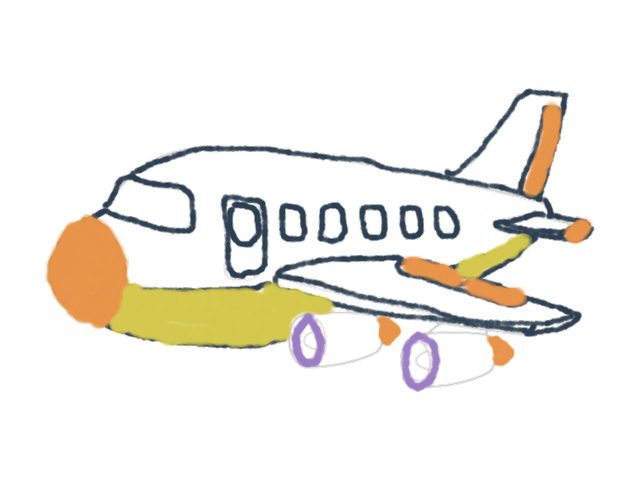
- Airplane — banks smoothly between the clouds.
- Prop Plane — a spinning propeller and a lazy, looping path.
- Helicopter — rotor up top; it hovers over the city.
- Car — hums along the street layer below the clouds.
- Sky Cloud — even a cloud gets to drift by.
Every one is free, and nothing needs installing — Pintsei runs in a browser on a tablet, phone, or laptop.
The four-step loop
1. Print
Open the creature you want and use the Print action to get its template. Plain paper is fine; the scan doesn't need anything fancy. Print one, or print the whole set for a rainy afternoon.
2. Color
This is the kid's part, and there are no rules. A rainbow airplane is a great airplane. Crayons, markers, colored pencils — all work. Encourage bold, solid color over fine detail; it reads better once the creature is moving and flying across the screen.
3. Scan
Point your device's camera at the colored sheet and let Pintsei capture it. Good, even light and a flat page give the cleanest result (more on that below).
4. Fly
The scanned vehicle drops straight into Sky City and starts to move — the airplane banking, the helicopter's rotor turning, the car rolling down the street. Their exact colors, now airborne.
The best part isn't the flying — it's the face. The scan finishes, the plane lifts off, and you get the "wait, that's mine" moment that a coloring sheet on the fridge never quite delivers.
Tips for the best scan
- Flatten the page. A curled sheet throws shadows. Press it flat or clip it down.
- Even light, no glare. Face a window or a lamp; avoid a single harsh light that reflects off the paper.
- Color inside the lines-ish. The outline helps the scan find the shape — but a little spillover is completely fine and still looks great in motion.
- Bold beats detailed. Solid fills pop once the creature is small and flying; tiny pencil detail tends to disappear.
Why parents like this one
It solves the usual printable problem — the "now what?" after the coloring's done — by turning the finished sheet into the beginning of something. Kids build fine-motor skills and focus while coloring, then get a real reward that pulls them toward the next question: how do planes fly? why does a helicopter hover? It's ad-free, needs no download, and works on whatever device you already have.
Print one plane tonight. Worst case, you get a colored airplane. Best case, your kid spends twenty minutes building a city in the sky and asks you how wings work.